Important update: Cécile McLorin Salvant date change

Due to technical circumstances, Cécile McLorin Salvant will perform on Saturday May 23, instead of Sunday May 24, as previously announced.
Some things are beyond our control. We look forward to welcoming her to the stage one day earlier than planned. If you purchased a ticket specifically to attend her performance on Sunday and would prefer to switch to Saturday, you can request to have your ticket adjusted; please click the link you received via email and follow the step-by-step guide. We’re really sorry for the inconvenience. We hope to still welcome you either way.
Changing the date of your ticket: a step-by-step guide:
Follow the steps below to change your ticket(s) to another day. The process takes only a few minutes.
1. Check your email for your personal code. If you bought Saturday tickets, we have sent you a personal code that you can use to access your unique MyOrder page.
2. Open your MyOrder page. Click the MyOrder link that you received in this email (or just follow this link) and use the code. You will land on your personal order overview page, where you can manage your tickets.
3. Click “More actions”. On your order page, find the “Meer acties” (More actions) button. Click it to open the available options for your order.
4. Select “Change tickets”. From the dropdown menu, click “Tickets wijzigen” (Change tickets). This opens the ticket modification screen.

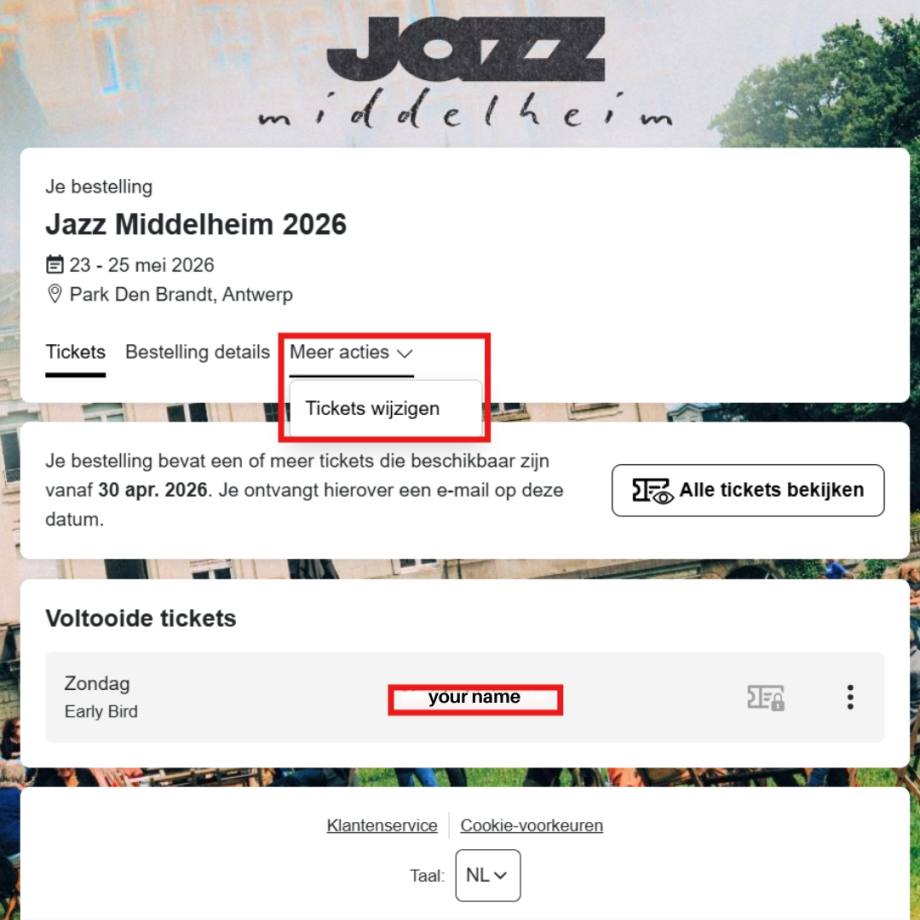
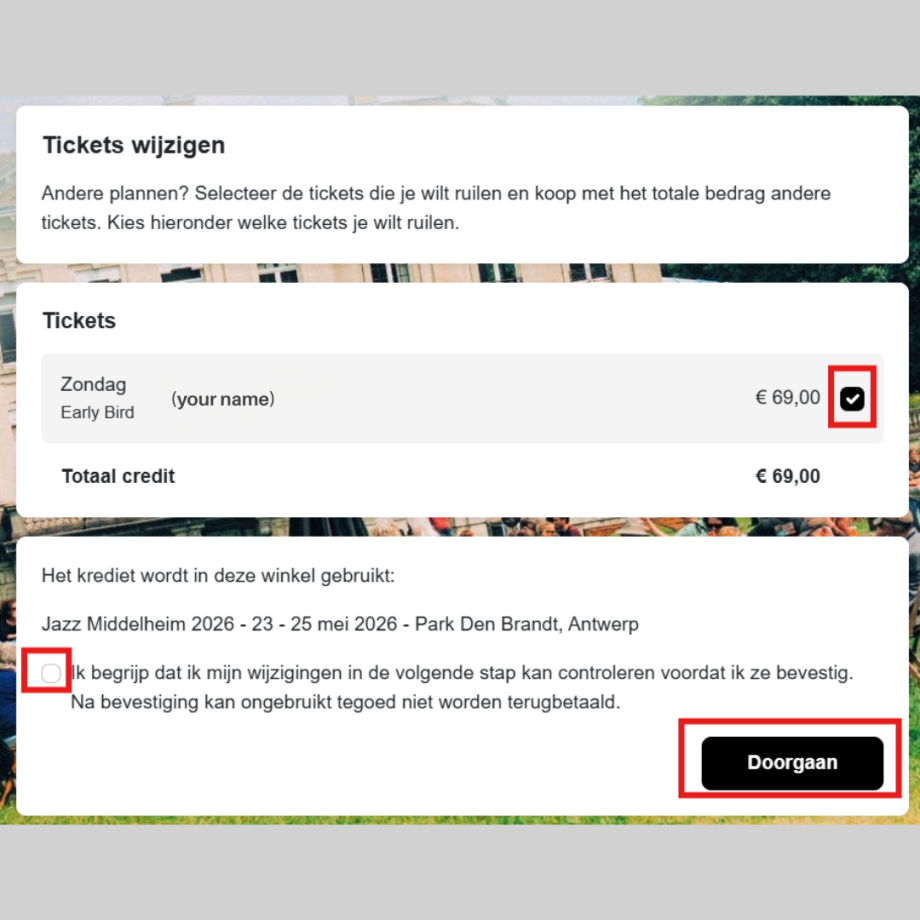
4. Select the ticket(s) you want to change. You will now see the products in your order. Tick the ticket(s) you want to change, confirm your selection and click “Continue” (Doorgaan).
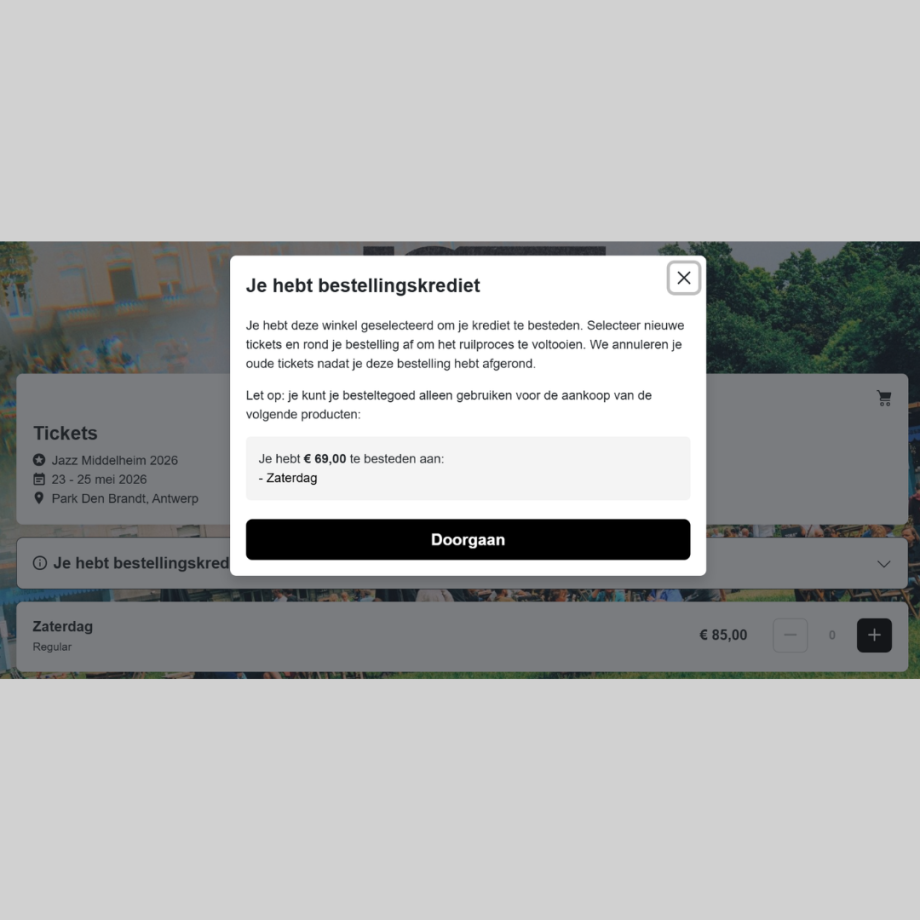
5. Choose the new ticket. You will be redirected to a special shop page that contains the ticket you can switch to (A Saturday Regular ticket, if you want to see Cécile McLorin’s concert). A pop-up will appear showing the value of your current ticket(s) and which new product(s) you can apply this value to.
6. Select the number of new tickets. Choose the same number of tickets you originally selected. Important: the system only allows 1-for-1 exchanges. For example, 3 Sunday tickets can only be converted to 3 Saturday tickets. So you cannot change 3 tickets into 2 tickets, or vice versa.
7. Go to checkout. Add the selected tickets to your cart and proceed to checkout. Your original buyer details will already be filled in, and you will need to personalise the tickets again.
8. Pay the price difference. If the new ticket is more expensive, you will be asked to pay the difference during checkout. Once the payment is completed, your order will be updated, and your new tickets will be confirmed.
If you still have issues changing the date of your ticket and this guide doesn't help you, you can always email us at info@jazzmiddelheim.eu, and we'll assist you.